A dental practice website where patients book their own visit
A website for a private dental practice, made as a concept build for a client. Patients pick a treatment, a dentist and a real free time, and book in five steps without phoning.
- Live
- Website
- Online booking
- Concept build for client
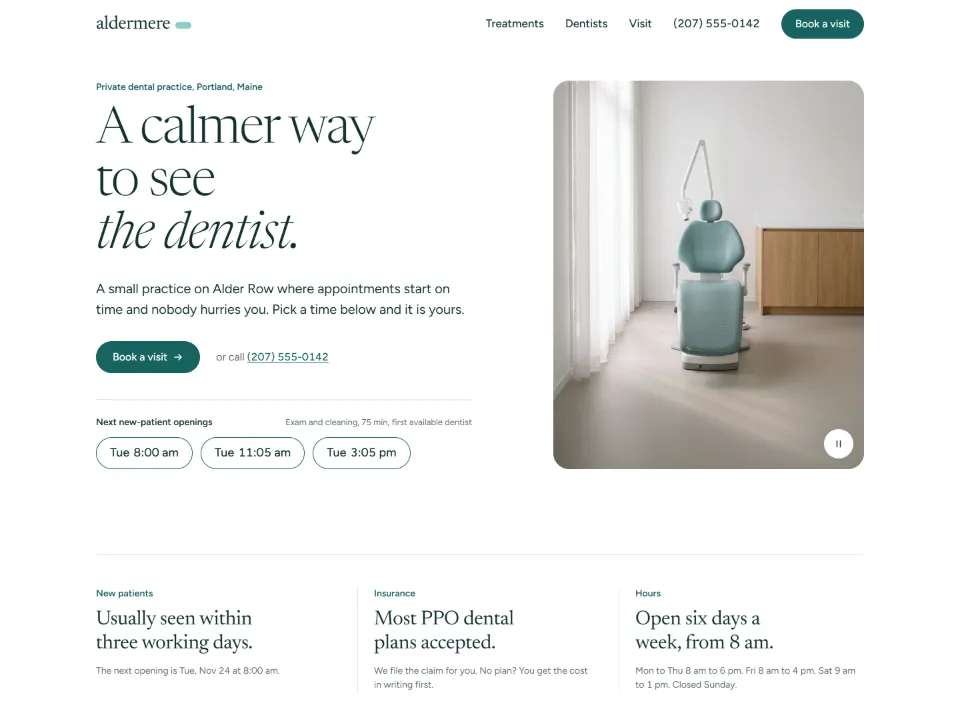
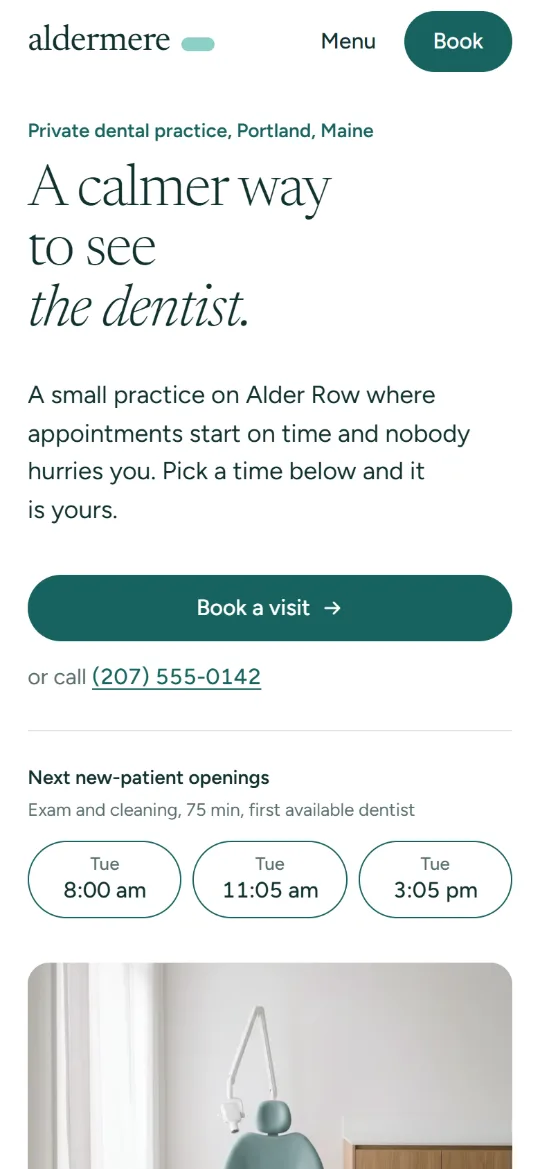
Home page · laptop and phone
- out of 100 for speed, accessibility and good practice, on Google’s Lighthouse test on a phone
- 100
- automated tests, all passing, including a full booking from the home page to the calendar file
- 32
- steps from choosing a treatment to a booking reference
- 5
- weeks to build a site like this
- 2.5–3
The challenge
A private dental practice needs website visitors to book, not just browse. If booking means phoning during opening hours, an evening visitor has to remember to call back.
Patients also want to see who will treat them, and when, before they commit.
What I built
A complete concept build for a private dental practice, Aldermere Dental, laid out for phones, tablets and desktops.
Every page a practice needs
Home, treatments, three dentists, a visit page with hours and directions, a privacy note and online booking.
Free times on the first page
The home page shows the next three openings. Choosing one starts the booking with the treatment, dentist and time already filled in.
Online booking in five steps
A treatment, a dentist, a day and time, contact details, then a booking reference and a calendar file for the visit.
How it works for patients
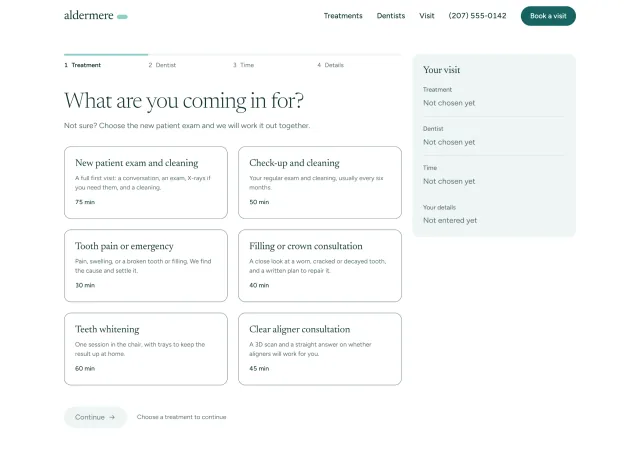
Choose one of six treatments
Booking starts with what the visit is for: six treatments, each with a short description and how long it takes. A summary at the side fills in as the patient goes, and anyone unsure is pointed to the new patient exam.
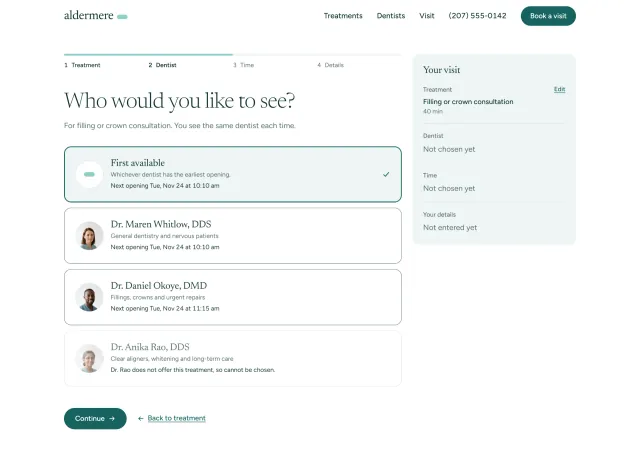
Choose who treats you
Patients choose a dentist, or “First available”. A dentist who doesn’t offer the chosen treatment is still shown, but can’t be picked, and the page gives the reason.
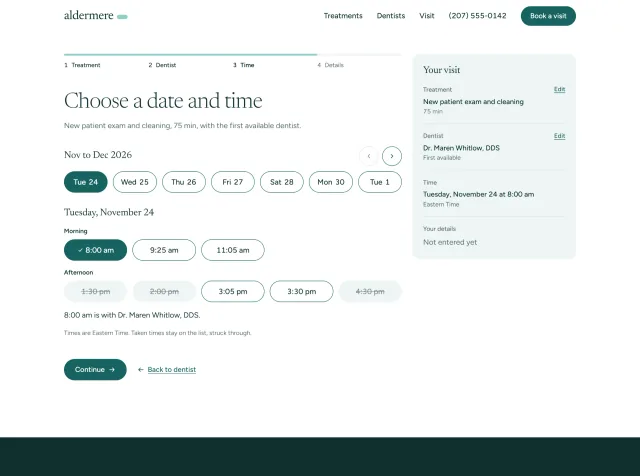
A day and a time
Patients pick a day, then a time. Taken times are struck through. A day with no openings says so, and links straight to the next one.
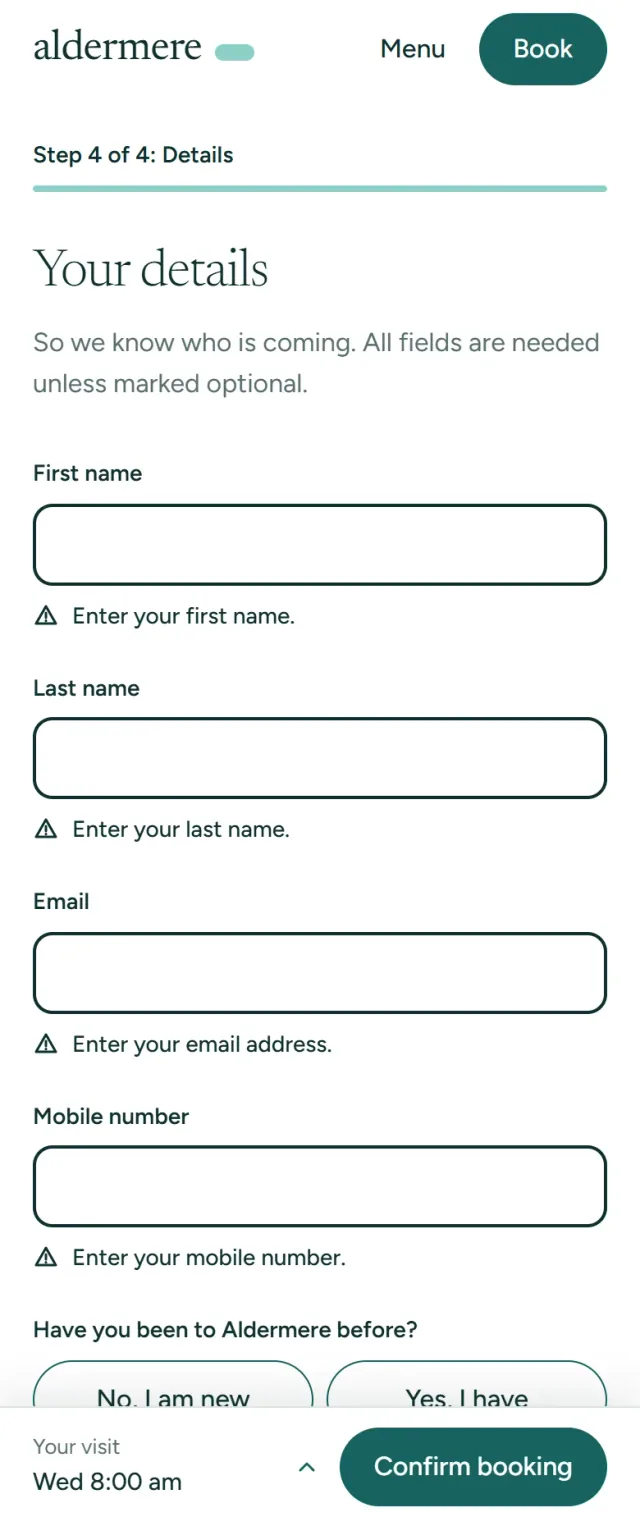
Mistakes explained in plain sentences
If a field is missing or mistyped, a short sentence under it says what to fix, such as “Enter all ten digits of your mobile number”. The page moves to the first field that needs attention.
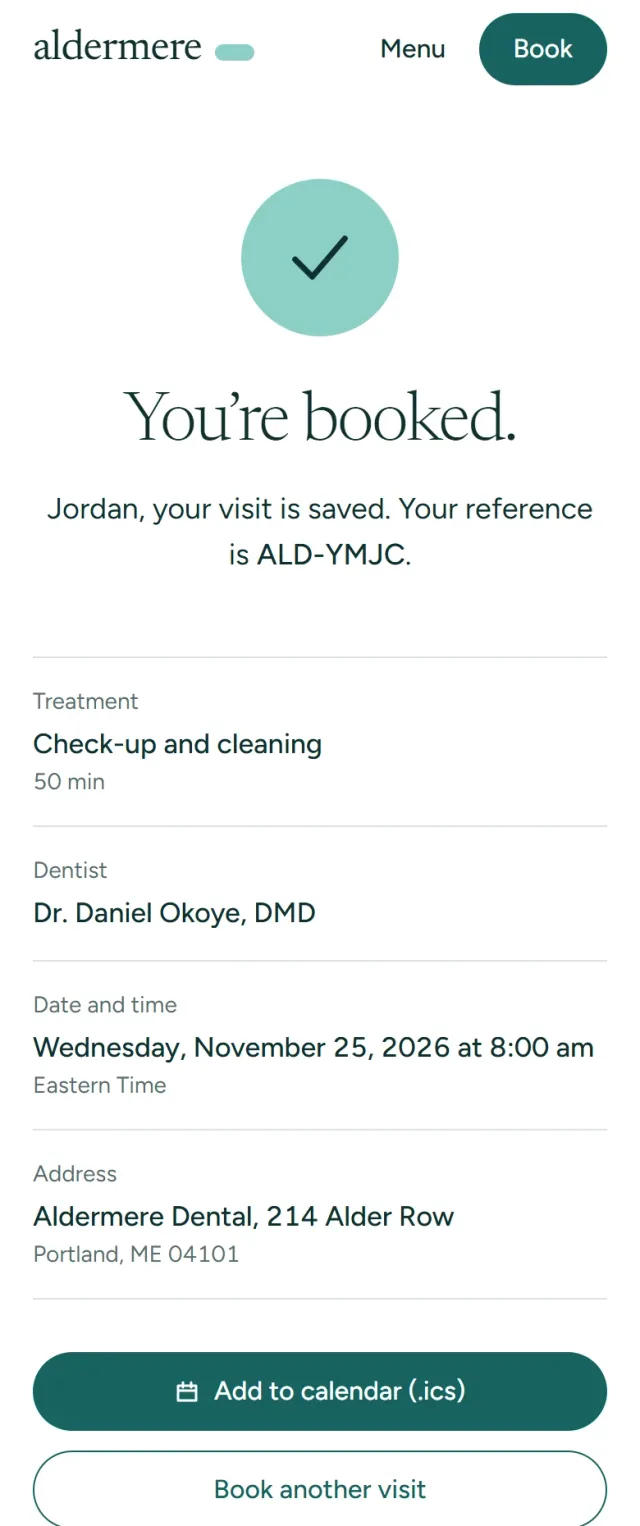
A reference and a calendar file
Once booked, the patient gets a booking reference and a calendar file for the visit. In this concept build, bookings are saved only in the visitor’s browser, and the site says so. A live version would connect to the practice’s diary.
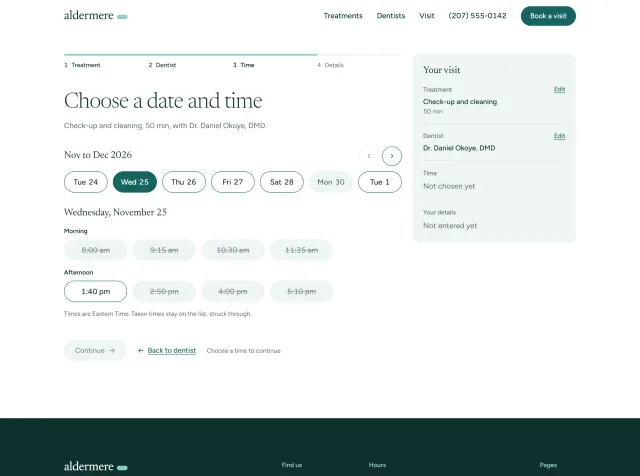
A booked time is really gone
Once a time is booked, it shows as taken, struck through, and stays taken after a reload. Times that would overlap it are blocked too. If a time has gone since the patient picked it, they’re sent back to choose another, with a message, instead of being double-booked.
Build quality
Checked with Google’s Lighthouse test and with automated tests, at phone and desktop widths.
Google’s Lighthouse test
On a phone setting, on the home page, three runs: 100 out of 100 for speed, for accessibility (whether disabled people can use it) and for good practice.
Search engines
Every search engine check passes except one: the site asks not to be listed, on purpose, because it’s a concept.
32 automated tests, all passing
At phone and desktop widths, including a full booking from the home page to the calendar file.
Not yet done
Tested in Chrome’s engine only, not yet in Safari, Firefox or on a real phone.
Could this help your business?
Still taking bookings by phone?
Online booking lets visitors book at any hour without phoning. Each online booking is one less call for whoever answers the phone.
Want visitors to book today, not later?
Free times on your first page give people a reason to act now. It works for any business that runs on appointments: a salon, a physio, a garage or a tutor.
What would a site like this cost?
About 2.5 to 3 weeks and €8,125 to €9,750, depending on whether the text and photographs are supplied, whether bookings connect to your existing diary, and whether you want to update the site yourself.
Want online booking for your business?
Tell me what you need, and I’ll tell you honestly what it would take.