A wealth adviser’s website that shows visitors exactly what they would pay
A website in UK English for an independent wealth adviser, made as a concept build for a client. Visitors choose a sum and a service, see their yearly fee worked out line by line, and ask for a first review with their figures already filled in.
- Live
- Website
- Fee calculator
- Concept build for client
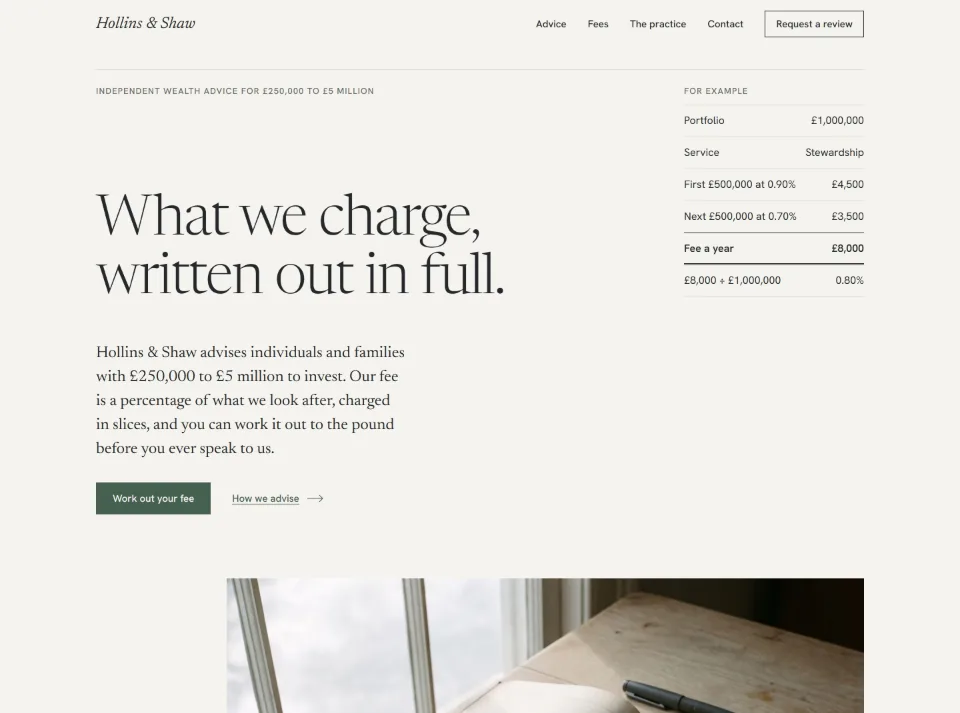
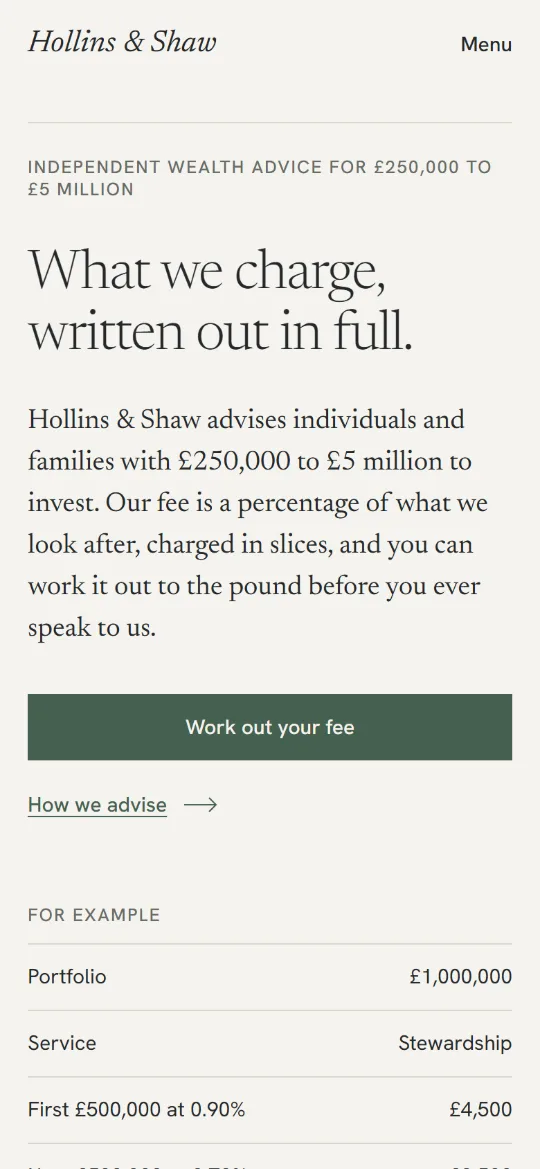
Home page · laptop and phone
- out of 100 for speed, accessibility and good practice on the home and fees pages, on Google’s Lighthouse test on a phone
- 100
- automated tests, all passing: 14 on the fee arithmetic and the form, and 36 that run the whole journey on a phone and a desktop screen
- 50
- seconds for the home page’s main content to appear, on a simulated slow phone connection
- 0.8
- weeks to build a site like this
- 2.5–3.5
The challenge
Firms like this charge a percentage of the money they look after, and the percentage falls as the sum grows. That’s fair, but it’s hard to explain on a web page. A visitor who can’t work out what they would pay has two choices: ring up and ask, or leave. Many leave.
Hollins & Shaw is an invented independent wealth adviser in the UK, run by two partners, for people with £250,000 to £5 million to invest. It offers three services: Planning, Stewardship and Family. The site needed to do two things. Show any visitor exactly what they would pay, with the sum written out so they can check it. Then make it easy for that visitor to ask for a first review, with their figures already filled in.
What I built
A website in UK English for a wealth adviser, with a fee calculator at its centre and a request form that carries its figures.
Every page an adviser needs
Home, Advice (the three services and a comparison table), Fees (the calculator), Review (the request form), The practice, Contact, three small-print pages and a “page not found” page.
A ledger, not a brochure
The design treats the site as a well-kept ledger rather than a brochure. The fee is the headline, every figure shows its working, and a single green marks only what has been worked out or what the visitor can act on.
Nothing sent anywhere
The site has no server, no cookies and no analytics, and makes no requests to any other website. Nothing a visitor enters is sent anywhere: it stays in their own browser.
How it works for visitors
Choose a sum and a service
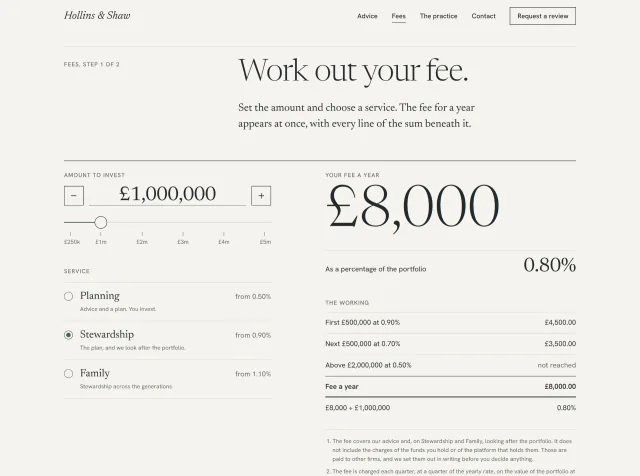
On the Fees page the visitor drags a slider from £250,000 to £5,000,000, presses plus and minus, or types the amount: “750000”, “£750,000”, “750k” and “1.5m” all work. Then they choose a service: Planning, Stewardship or Family. The fee for a year appears at once.
The fee, slice by slice
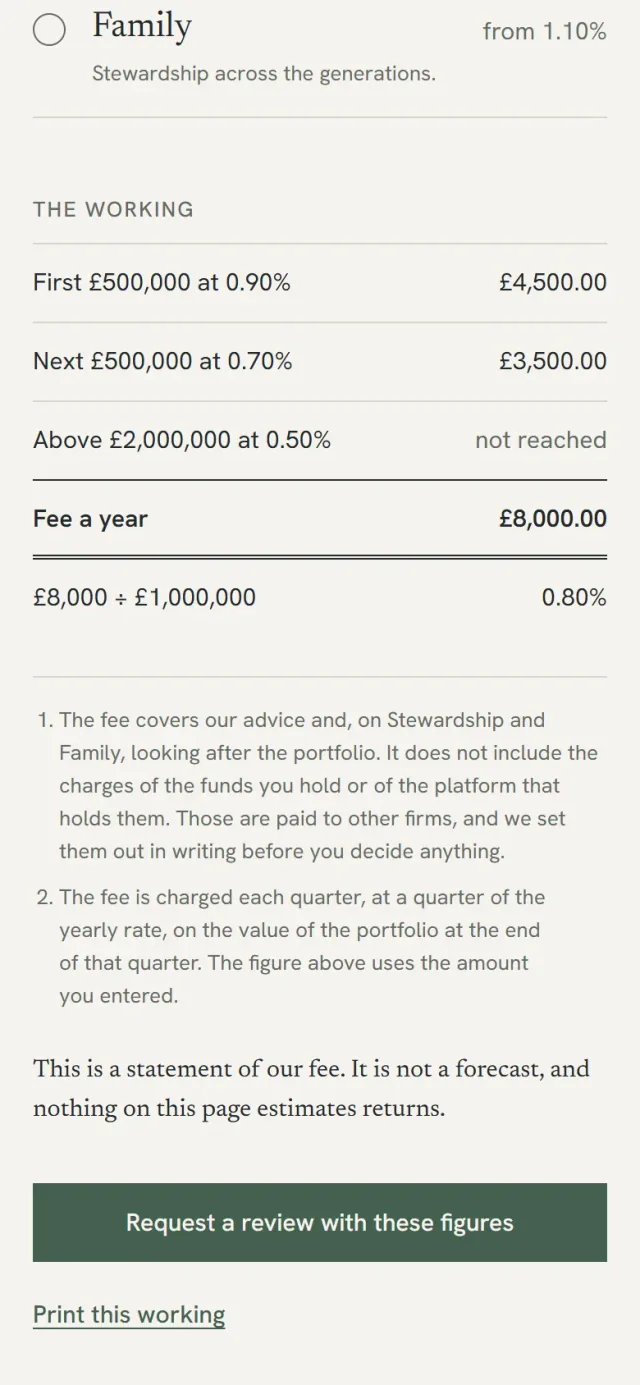
The fee appears in pounds and as a percentage, with each slice of the sum on its own line, so the visitor can check it. For £1,000,000 on Stewardship: the first £500,000 at 0.90% is £4,500, the next £500,000 at 0.70% is £3,500, total £8,000 a year, or 0.80%. One link prints it as a fee note.
Their figures come with them
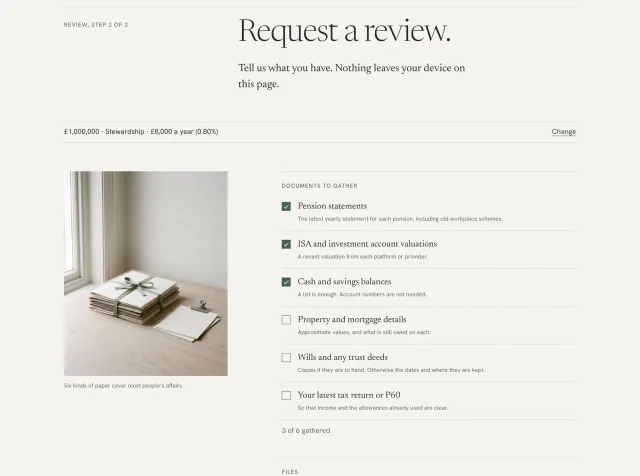
The visitor moves on to “Request a review”. Their sum, service and fee come with them in a summary strip at the top, with a link to change them. Then they tick off a checklist of six documents to gather, with a running count.
Mistakes are caught
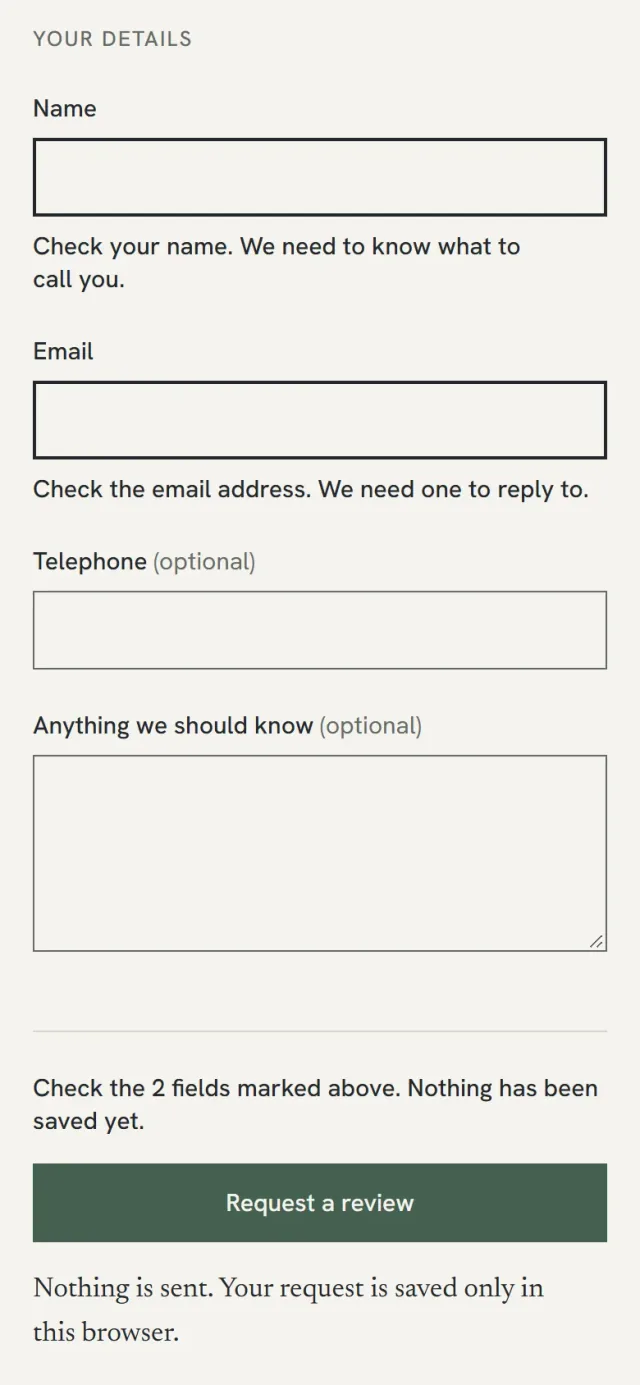
The visitor leaves their name, email, an optional phone number and a message, and presses “Request a review”. Mistakes are caught: an amount out of range on the Fees page, a missing name, an invalid email. Each is explained in a plain sentence under its box.
A confirmation in place of the form
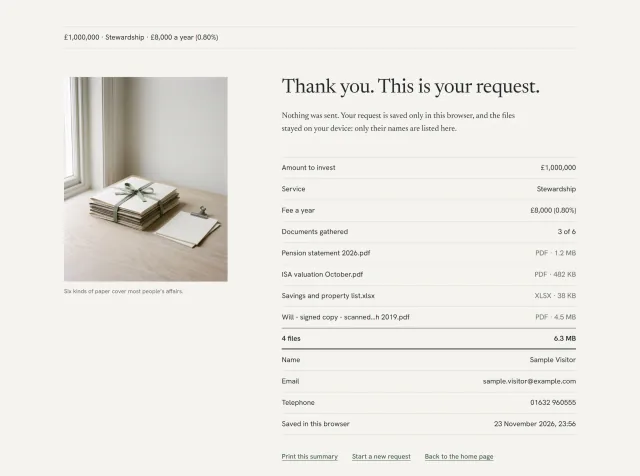
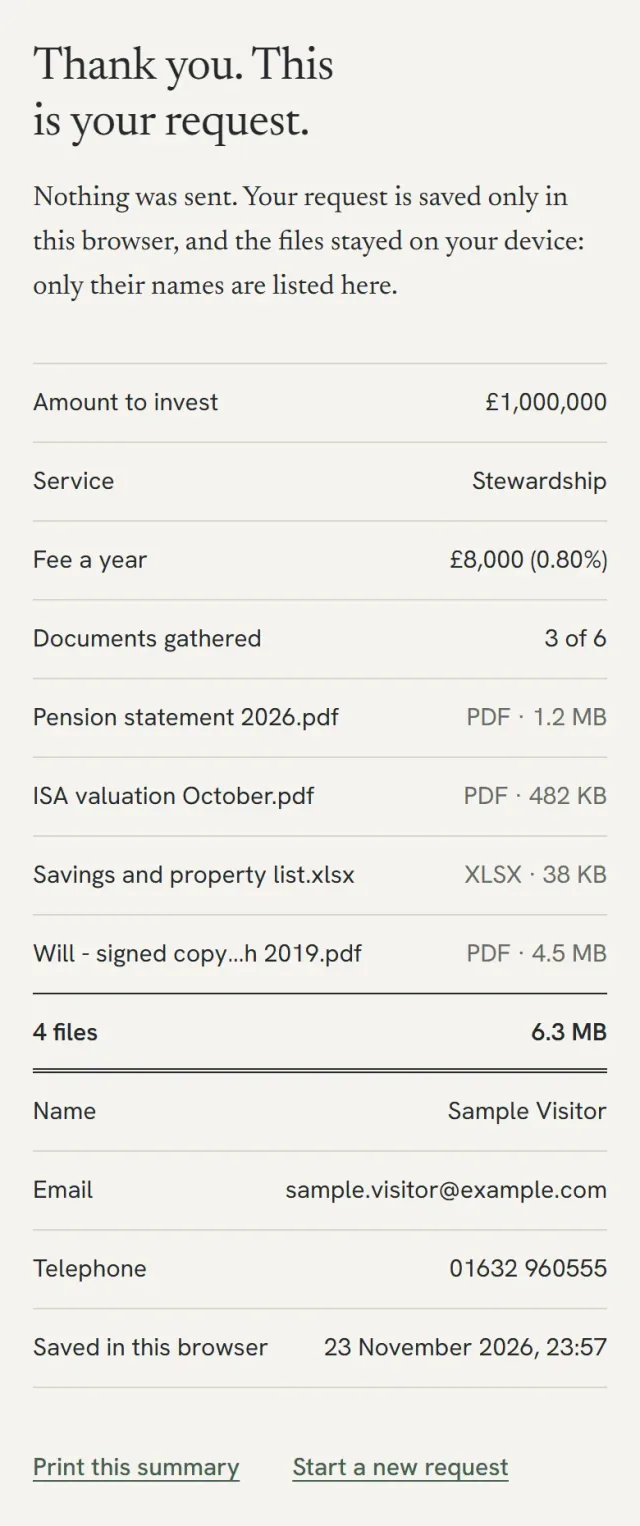
The visitor sees a confirmation in place of the form, listing their figures, the checklist, the files and their details. They can print it. Nothing is sent: the request is saved only in their browser.
Files listed, never uploaded
Visitors add their documents by choosing them or dragging them in. Nothing is uploaded: each file is listed with its name, kind and size, so they can check they have everything, and the confirmation lists the files that stayed on their device.
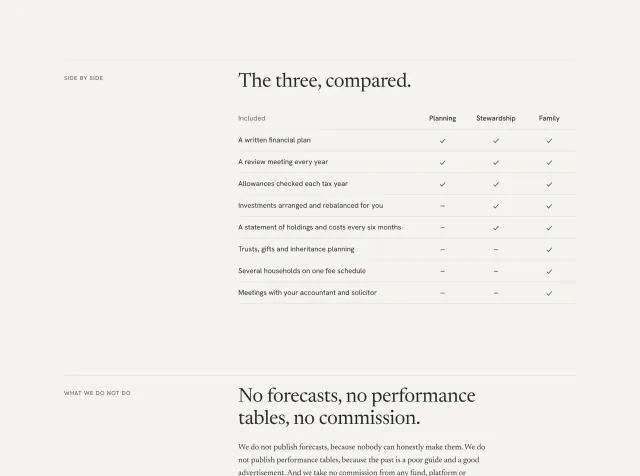
Three services, side by side
The Advice page sets out Planning, Stewardship and Family, each with a list of what’s included, a list of what isn’t and a link to its fee. A table then compares the three line by line, from a written financial plan to meetings with your accountant and solicitor.
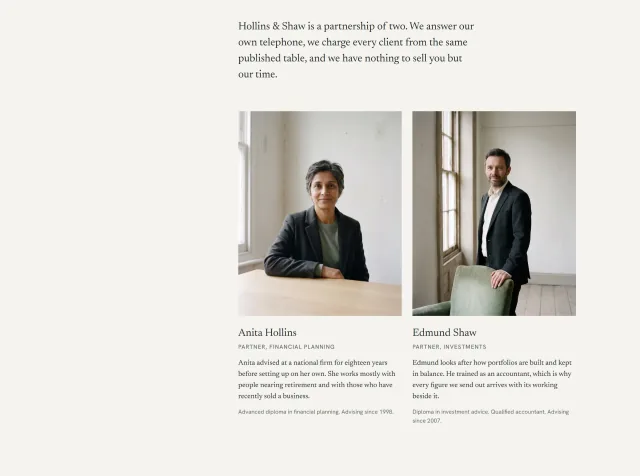
Two partners, one fee schedule
The practice page introduces the two partners, both invented, and the rules they keep: every client pays from the same published table, they run no funds and take no commission, every figure arrives with its working, and they make no forecasts.
Build quality
Google’s Lighthouse test scores a page out of 100 for speed, accessibility (whether disabled people can use it) and good practice. I ran Lighthouse 13.6 on every page, set to a phone on a simulated slow 4G connection with a slowed processor.
Home and Fees: 100, 100, 100
100 for speed, accessibility and good practice on both. On the home page, the main content appears in 0.8 seconds.
The other pages
Speed, accessibility and good practice: Advice 96, 100 and 100. Review 96, 100 and 100. The practice 94, 100 and 100. Contact 92, 100 and 100. Privacy, Important information and Accessibility 100, 100 and 100.
Search engines
Every search engine check passes except one: the site is deliberately hidden from search engines, because it’s a concept.
14 of 14 checks on the sums
They check the fee arithmetic, number formatting and form checks.
36 of 36 tests that use the site like a visitor
18 on a 360-pixel phone screen and 18 on a 1280-pixel desktop screen. They run the whole journey from slider to confirmation and check every page for problems.
No errors, no warnings
The build finishes with no errors and no warnings.
Not yet done
Tested in Chrome’s engine only. Firefox, Safari and real screen readers were not tested.
Could this help your business?
Hard to explain what you charge?
A calculator like this answers the visitor’s first question, “what will this cost me?”, without a phone call, at any hour. For an adviser who earns from each client every year, each new client is worth a great deal.
Want enquiries that start from facts?
The visitors who carry on to the form already know the price and still want to talk. You receive a request with the sum, the service, the documents in hand and contact details, so the first conversation can start from facts instead of from scratch.
What would a site like this cost?
About 2.5 to 3.5 weeks and €8,450 to €10,400. That’s 13 to 16 working days at my day rate of €650: a multi-page site, plus a custom feature of about the same size as a made-to-measure booking calendar. The final price depends on what you need. It assumes you supply the text and photographs, and doesn’t include your domain or hosting.
Want a fee calculator for your business?
Tell me what you need, and I’ll tell you honestly what it would take.